Using the API
Pop-up Channels offers an API for use in integrations.
Creating an API key
To be able to use the API, you will need an API key.
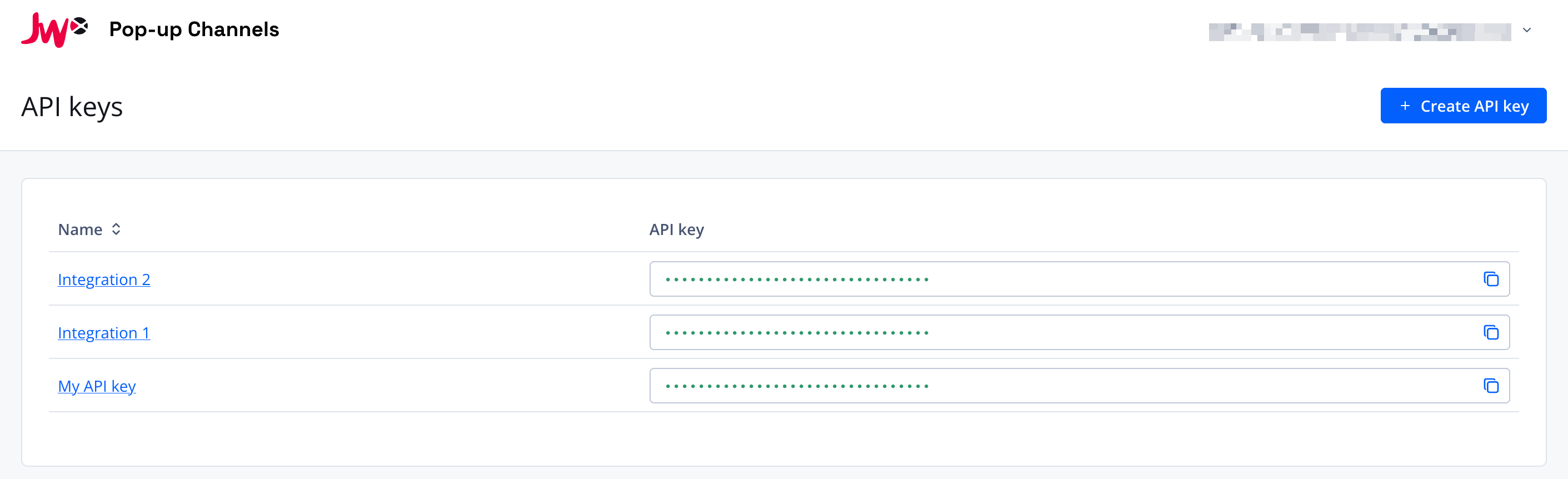
- In the Pop-up Channels front-end, click your email address in the top right corner, then "API keys"
- Click "Create API keys"
- A new API key will appear in the list. Click the copy button next to the key to copy it to your clipboard.
- Optionally, you can rename your API key by clicking on its name and updating it in the pop-up.
You can then use this API key when making a request.
Making an API request
When making an API request, you must ensure to include your API key in the Authorization header. For example:
curl https://api.fast.jwp.services/channels \
  --header 'Authorization: Bearer YOUR_API_KEY'
For further details, please see the API reference documentation.