EPG
Pop-up Channels provides an Electronic Program Guide (EPG) in XMLTV format for your channels. This allows you to display details about the currently playing and upcoming programmes on your channel.
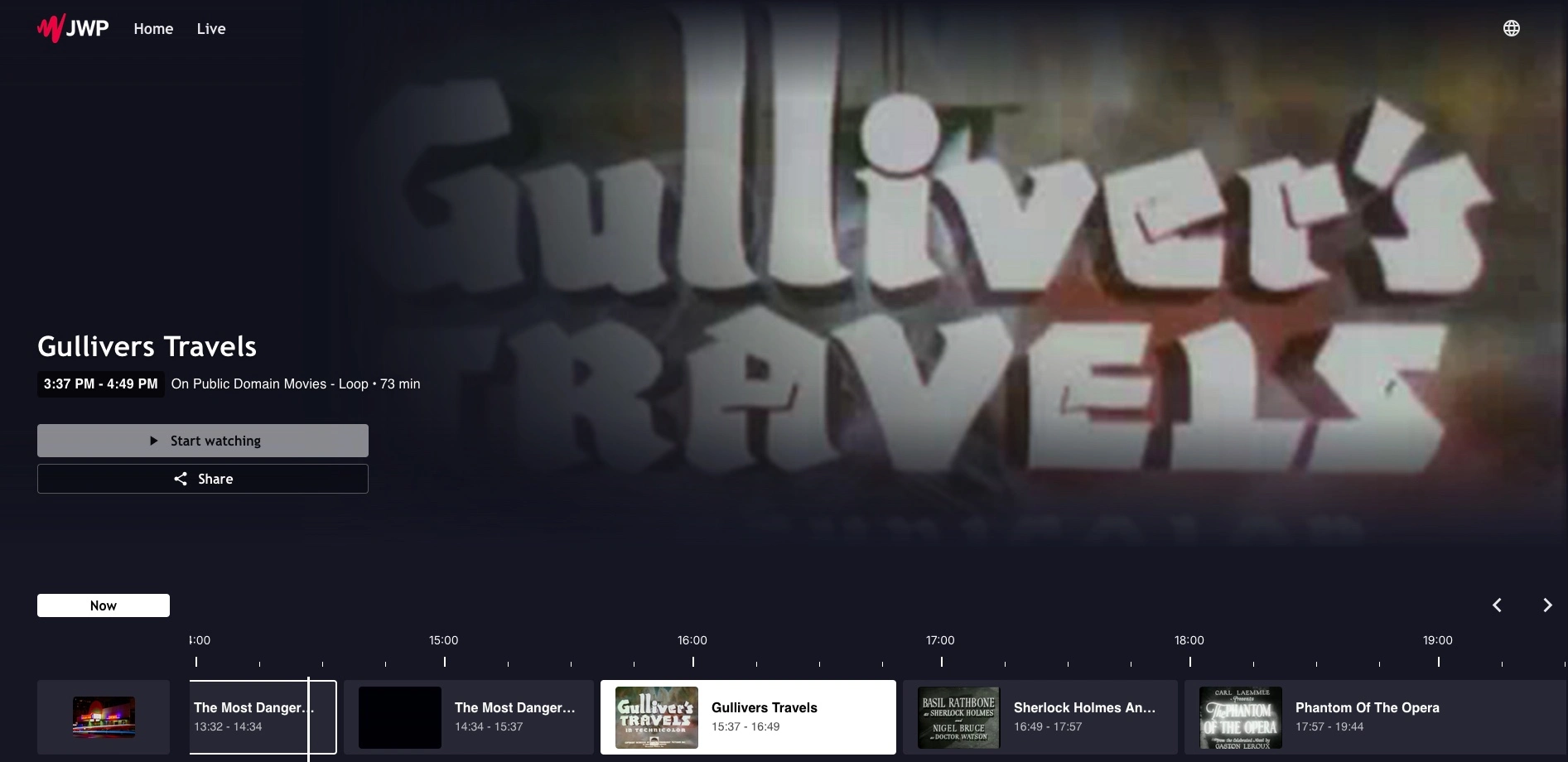
If you use the JWX Web App, this has native support for displaying this EPG format under the name xmltv.
For further details on integrating the EPG with your OTT app, please see the platform documentation here.
For further details on the format of the EPG, please see the XMLTV specification.
The URL to the EPG for a channel can be found on the channel details page.
Parameters
The EPG endpoint offers some query parameters which can be used to customise the output.
duration
The duration of the EPG to return in minutes. Defaults to 1440 for looping playlist channels. For scheduled channels, the window extends this many minutes into the future and the same amount into the past, up to a maximum of 24 hours in the past. Defaults to 10080 (7 days) for scheduled channels.
start and end
For scheduled channels only, as an alternative to duration, you can specify an exact time range using start and end parameters. Both must be valid ISO 8601 datetimes, and start must be before end.
For example: ?start=2025-06-01T00:00:00Z&end=2025-06-08T00:00:00Z
If start and end are provided, duration is ignored. These parameters are not supported for looping playlist channels.
tz
The timezone to use in the response in IANA format, for example Europe/London.
Response
Here is an example response:
<tv generator-info-name="Pop-up Channels" date="20250516123228 +0000">
    <channel id="BBCC2nL6.fast.jwp.services">
        <display-name>Public Domain Movies - Loop</display-name>
    </channel>
    <programme start="20250516123208 +0000" stop="20250516133441 +0000"
        channel="BBCC2nL6.fast.jwp.services">
        <title lang="en">The Most Dangerous Game</title>
        <date>20250117</date>
        <keyword>public_domain_movie</keyword>
        <length units="seconds">3753</length>
        <icon src="https://cdn.jwplayer.com/v2/media/H2t9xE1q/poster.jpg" />
        <episode-num system="assetId">BBCC2nL6-1747398728-H2t9xE1q</episode-num>
    </programme>
    <programme start="20250516133442 +0000" stop="20250516144536 +0000"
        channel="BBCC2nL6.fast.jwp.services">
        <title lang="en">Oliver Twist</title>
        <date>20250117</date>
        <keyword>public_domain_movie</keyword>
        <length units="seconds">4254</length>
        <icon src="https://cdn.jwplayer.com/v2/media/QDfgiajf/poster.jpg" />
        <episode-num system="assetId">BBCC2nL6-1747402482-QDfgiajf</episode-num>
    </programme>
</tv>
Fields
Each field in the EPG is populated from your channel settings or from the metadata of the media in JWX.
Channel
| XMLTV element | Source |
|---|---|
id | The channel ID, in the form {channel_id}.fast.jwp.services |
<display-name> | The channel name in Pop-up Channels |
<icon> | The channel's poster image on the JW Player CDN |
Programmes (VOD)
| XMLTV element | Source |
|---|---|
start / stop | The programme's scheduled start and end time on the channel |
<title> | Title |
<desc> | Description |
<date> | Publish date, in YYYYMMDD format |
<category> | Category |
<keyword> | Tags, with one <keyword> element per tag |
<length> | Duration, in seconds |
<icon> | The media's poster image on the JW Player CDN |
<episode-num system="assetId"> | A unique ID for this airing, in the form {channel_id}-{start_timestamp}-{media_id} |
Programmes (live streams)
Live events and 24/7 live streams include a smaller set of fields. Description, publish date, category and tags are not included for live streams.
| XMLTV element | Source |
|---|---|
start / stop | The programme's scheduled start and end time on the channel |
<title> | Live stream title |
<length> | The scheduled length of the programme, in seconds |
<icon> | The live stream's poster image on the JW Player CDN |
<episode-num system="assetId"> | A unique ID for this airing, in the form {channel_id}-{start_timestamp}-{media_id} |