Pop-up Channels v4.0
This version adds recurring items in scheduled channels, additional audio track support, and new scheduler views.
New features
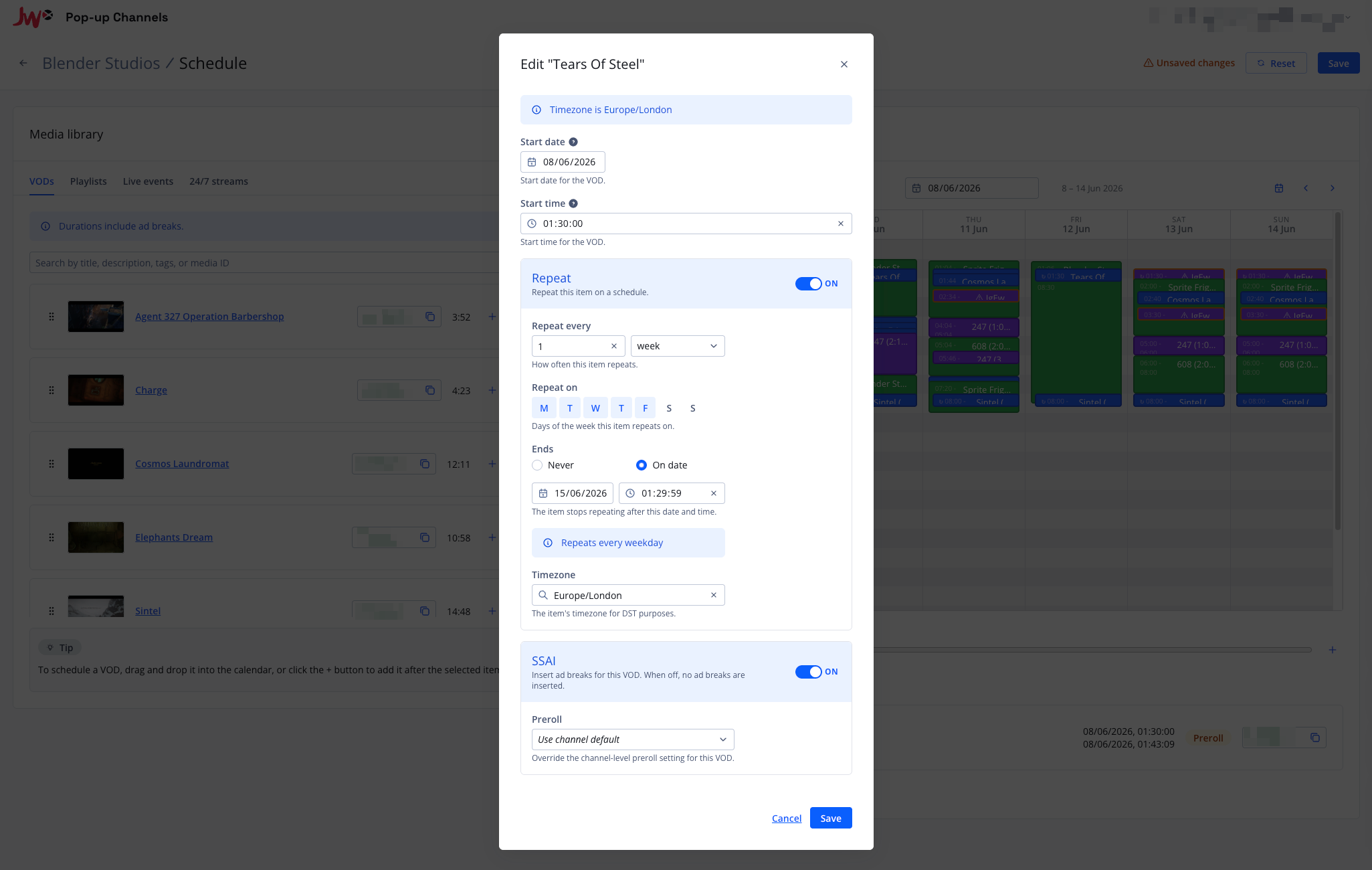
Recurring items in scheduled channels
You can now set VODs, 24/7 streams and playlist blocks to repeat on a schedule.
Recurring items can repeat daily, weekly or monthly, and are timezone-aware so occurrences keep their local time across daylight saving changes. When you edit or delete a recurring item, you can choose whether the change applies to just that occurrence, that occurrence and all following ones, or the entire series.
Additional audio track support
You can now deliver multiple audio tracks on a channel, such as additional languages, audio description or commentary.
Create an audio configuration with the tracks you need, then select it when creating or updating a channel.
New scheduler views
The scheduler now offers Day, Week, Month and Preview views.
The Preview view shows your channel's resolved schedule (its EPG), including how recurring items and playlist blocks expand into individual occurrences.
SSAI flexibility
SSAI now gives you more control over where ad breaks are inserted:
- Per-item ad break controls let you disable ad breaks or override the preroll setting for individual scheduled VODs and playlist blocks.
- A minimum time between prerolls setting limits how often preroll ad breaks are inserted.
Filler playlist
Scheduled channels can now use a filler playlist: a JWX playlist that is looped to fill gaps between your scheduled content.
When nothing is scheduled, the filler playlist plays instead of the channel slate.
CMAF VOD support
Pop-up Channels now supports CMAF VOD. The VOD type is chosen when creating a channel and cannot be changed afterwards. See here for details on preparing your CMAF VOD content for Pop-up Channels.
PATCH schedule endpoint
The API now includes a PATCH schedule endpoint for partial updates, so you no longer need to send the entire schedule when making a change.
You can also preview the EPG with your changes using the new POST epg endpoint.
Other improvements
Other improvements in this version include:
- Video configurations to control which renditions are delivered, including audio-only channels
- In-stream caption delivery (CEA-608), in addition to in-manifest captions
- A right-click context menu in the scheduler